Code Wicket
The way in for agents.
One gateway. Every agent.
Connect Claude Code, Kiro, or any ACP-enabled agent to Visual Studio 2022 and 2026 — with deep IDE integration: diffs, builds, tests, Roslyn code fixes, and the live debugger.
Now on the Visual Studio Marketplace.
Visual Studio's own answers
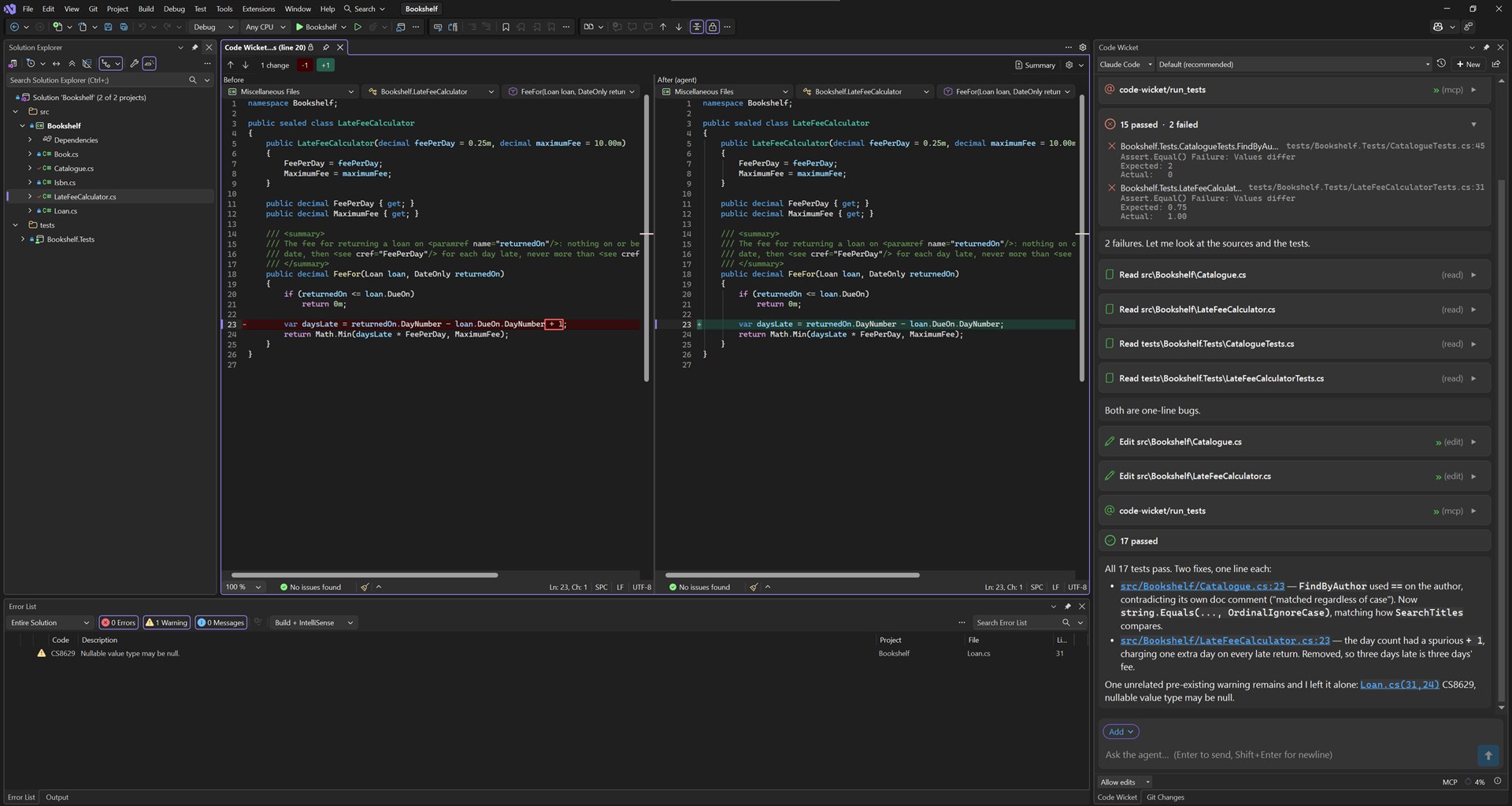
The agent builds, reads the Error List, runs tests and navigates code through the IDE itself, not a shell guessing at it.
A native diff for every change
Each edit the agent makes appears in the chat and opens in Visual Studio's own diff viewer.
Change agents, keep the conversation
Start with one agent and carry on with another: the conversation moves across as a summary of what came before, and you are asked before it is used.
You decide what's approved
When the agent asks permission, your mode and rules decide what is approved and what waits for you. The chat records which way each action went.
Your agent, your account
Code Wicket is the gateway, not the agent. Keep the agent you already use — Claude Code, Kiro, or any other ACP agent, on your own account — and give it Visual Studio's builds, tests, Roslyn code fixes and debugger to work with.